| Document number | Revision |
|---|---|
| DOCU12557 | 1 |
Enabling 'Always open' checkbox in Google Chrome
Background
When using Google Chrome, Highstage users' are always prompted to open the folder using the It Hit Document Opener when accessing folders and files in Highstage:
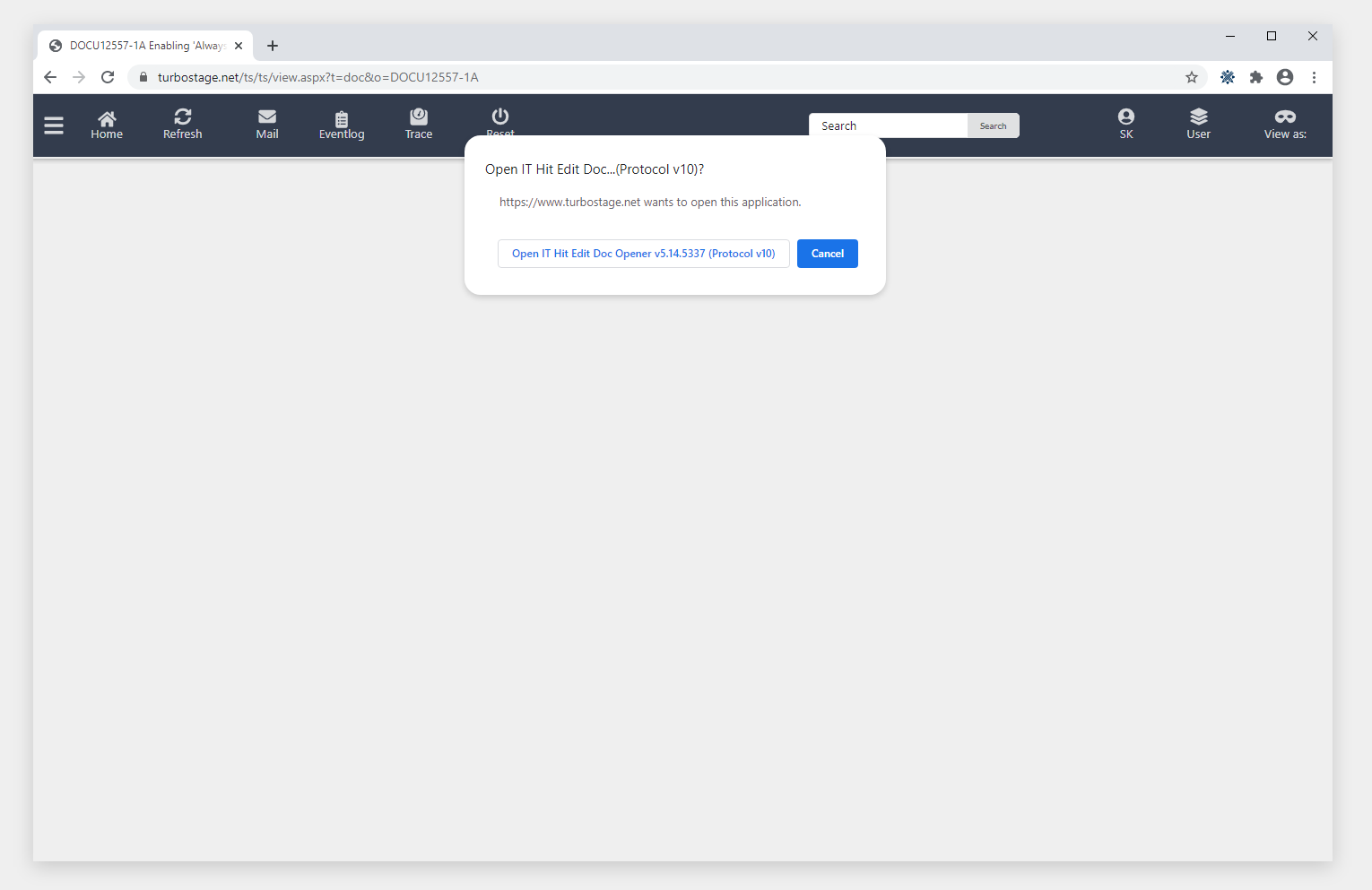
This guide introduces you to the process of enabling the 'Always open' checkbox on external protocol launch confirmation prompts. This enables you to check 'Always open' to skip all further confirmation prompts to access folders in Highstage.
Important: Following this guide makes changes to the policies directly on your personal device. Please consult your local IT Department before installation.
Instructions
Installation
Click here to download a zip folder (
installation.zip) containing the installation file (Chrome.bat).Please do the following:
- Locate the zip folder in your downloads folder and extract the installer.
- Right click the installer and select 'Run as Administrator'.
- Click 'Yes ' to allow the installer to make changes to your device.
Restart Google Chrome
You have successfully enabled the "Always open" checkbox to be shown on external protocol launch confirmation prompts in Google Chrome.
Manual installation
- Open
regedit.exeas an administrator - Navigate to the key
Computer\HKEY_LOCAL_MACHINE\SOFTWARE\Policies\Google\Chrome
Note: If the keys
Chromedoes not exist, please create them manually.
- Add the DWORD
ExternalProtocolDialogShowAlwaysOpenCheckboxwith a set value of1. - Restart Google Chrome.
You have successfully enabled the "Always open" checkbox to be shown on external protocol launch confirmation prompts in Google Chrome.
Installation contents
The .BAT file contains the following code:
@echo OFFreg add "HKEY_LOCAL_MACHINE\SOFTWARE\Policies\Google\Chrome" /v ExternalProtocolDialogShowAlwaysOpenCheckbox /t REG_DWORD /d 1 /fpauseOfficial resources: https://cloud.google.com/docs/chrome-enterprise/policies/?policy=ExternalProtocolDialogShowAlwaysOpenCheckbox
